 CAIMORE
Smart Pole Device Connectivity
Connect smart-pole cameras, instruments and lighting equipment through a CAIMORE CM560-61F gateway and a 4G or wired uplink.
Reference Architecture · Smart City & Infrastructure

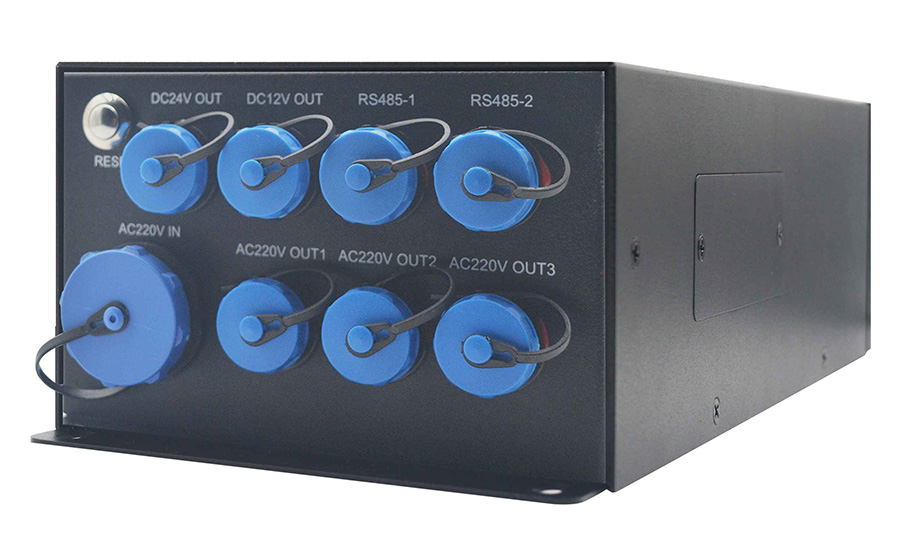 CM560-61FCM560 series photographView equipment
The application
A smart pole brings several kinds of equipment to one location. Cameras, environmental instruments and lighting controllers need different connections, but each needs a reliable route to the system that uses its data.
What the connection needs to solve
A camera stream and a sensor reading have different bandwidth and integration needs. Choose the connections around the installed devices, available network and receiving platform.
- Match serial and Ethernet equipment to supported connections.
- Plan the network and power supply for the pole installation.
- Give each data stream a defined destination and owner.
How the system connects
Follow the data path, then explore the role of each device.

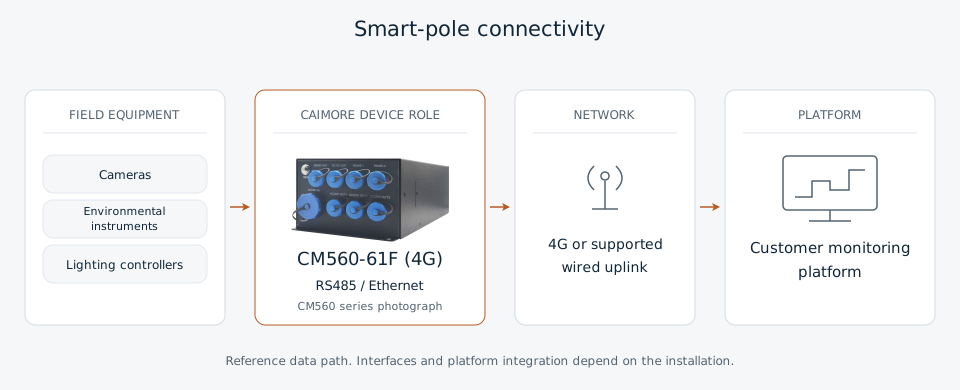
Who does what
Explore the equipment roles along the data path.
Connects supported field equipment to the selected network.
How the data path comes together
A practical integration sequence for planning and commissioning.
Connect the equipment
Identify cameras, instruments and controllers, then match their interfaces to the gateway.
Establish the uplink
Use the selected 4G service or a supported wired connection to reach the receiving system.
Map the data
Agree device identifiers and message formats with the platform integrator.
Commission the connection
Check readings and video at the destination; test how operators identify an interrupted connection.

CAIMORE equipment for the application
CM560-61F
CM560-61F is the 4G reference model selected for this architecture. The supplied model table lists RS485 and Ethernet interfaces, with optical and electrical network connections.
- 4G reference model
- RS485 and Ethernet interfaces
- Optical / electrical network connections
Before installation
Check site power, installation protection, operator coverage and the platform endpoint. The selected reference is CM560-61F (4G); it does not establish which sub-model was used in the historical article.
Related applications
Discuss your equipment and data path.
Send your device list, interfaces and installation country. We can review the gateway configuration with you.